

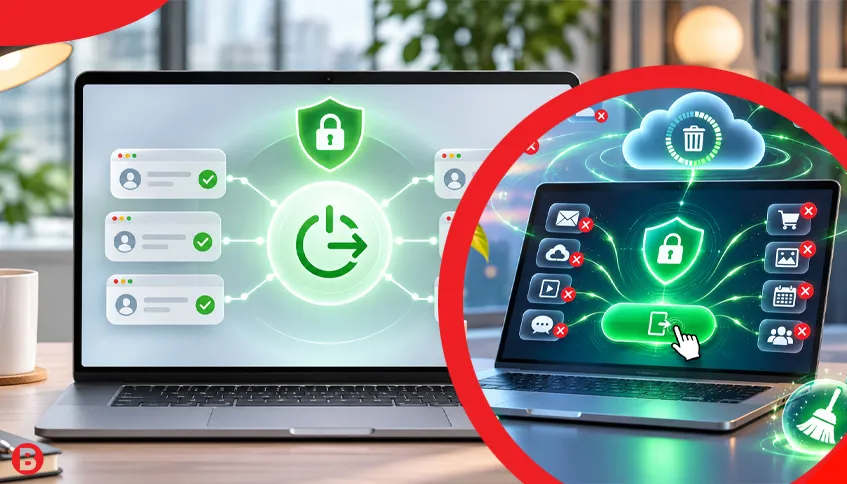
Signing out of multiple websites can be frustrating, especially when several accounts are open in the same browser. SuperLogout offers an unusual solution by attempting to log users out of numerous online services through a single webpage. Instead of visiting each website separately, it sends multiple logout requests automatically.
The concept is simple, but its functionality raises interesting questions about browser security, online privacy, and how websites manage active sessions.
What Is SuperLogout?
SuperLogout is a web-based utility designed to initiate logout requests across multiple websites simultaneously. Available through SuperLogout.com, it became popular for its ability to trigger sign-outs from dozens of online services without requiring users to visit each account individually.
Unlike password managers, SuperLogout does not store login credentials or manage accounts. Instead, it uses existing website logout addresses to request session termination. The process historically started automatically when someone opened the webpage, without requiring registration, installation, or additional setup.
How Does SuperLogout Work?
SuperLogout uses JavaScript to send requests to logout endpoints belonging to different websites. These endpoints are web addresses or functions that services use to terminate authenticated sessions.
When someone opens SuperLogout, the webpage attempts to contact predefined logout URLs. Websites that accept these requests may terminate the user’s active browser sessions.
The basic process involves:
- Opening the SuperLogout website.
- Automatically initiating requests to supported logout URLs.
- Allowing websites to process those requests.
- Ending sessions where the requests are accepted.
SuperLogout does not need account passwords to initiate these requests. However, successful logout depends on each website’s authentication system, browser cookie settings, and security restrictions.
The History of SuperLogout
SuperLogout gained attention in September 2015 after technology publications reported its unusual behavior. The Hacker News described how opening a shared link could automatically trigger logout requests across numerous websites.
At the time, the service reportedly targeted more than 30 online platforms, including several widely used technology, shopping, and entertainment websites.
Its popularity came from both convenience and curiosity. A single webpage could interact with multiple authentication systems, demonstrating how certain websites handled logout requests initiated from external sources.
SuperLogout also became an interesting example for discussions about browser security and session management.
Which Websites Does SuperLogout Support?
The original version targeted several popular online services. Historical reporting identified the following platforms among its targets:
| Website | Historical support |
|---|---|
| Included | |
| Gmail | Targeted through Google’s authentication system |
| Amazon | Included |
| GitHub | Included |
| Dropbox | Included |
| WordPress.com | Included |
| YouTube | Associated with Google account logout |
| Skype | Included |
| Yahoo | Included |
These examples reflect historical functionality rather than guaranteed current compatibility.
Websites regularly change their authentication systems, logout URLs, and security policies. Consequently, requests that worked when SuperLogout first appeared may no longer function reliably.
The original reports also identified Facebook and Twitter as absent from its supported list.
Why Do People Use SuperLogout?
The biggest advantage of SuperLogout is convenience. Manually signing out of numerous accounts requires opening different websites, finding account settings, and selecting logout options individually.
SuperLogout attempts to reduce those steps by initiating several requests from one location.
It may also appeal to users who access multiple accounts on shared computers. However, successful logout must be checked individually, especially when sensitive information is involved.
Beyond convenience, the tool demonstrates how browser sessions work and why websites need secure authentication systems.
Is SuperLogout Safe?
SuperLogout was designed to initiate logout requests rather than collect passwords or provide account access. However, that does not make it a complete security solution.
One concern is unexpected logout. Opening the webpage could interrupt ongoing work or require users to authenticate again.
Another limitation is incomplete session termination. Some websites may reject the requests, while others may require additional security verification.
Logging out through a browser also does not necessarily terminate sessions on other devices. A user signed into the same account on a phone or tablet may remain connected.
For important accounts, official security settings offer greater control over active sessions.
Does SuperLogout Protect Your Privacy?
Logging out can improve privacy by reducing the possibility of someone accessing an account through an existing browser session.
However, SuperLogout’s effectiveness depends on whether individual websites properly invalidate those sessions.
According to the OWASP Web Security Testing Guide, secure logout should invalidate authentication information on the server. Simply removing browser data or displaying a logout message may not be enough.
SuperLogout also does not automatically delete browsing history, saved passwords, or personal files. Those actions require separate browser settings.
Why SuperLogout May Not Work
Several technical factors can prevent SuperLogout from working as expected.
Outdated logout URLs are a common problem. Websites frequently update their authentication systems, making older logout addresses ineffective.
Modern browser security restrictions can also interfere with cross-site requests. For example, SameSite cookie settings control when authentication cookies accompany requests from other websites.
Some services require additional verification or specific request methods before completing logout.
These restrictions make SuperLogout less dependable than using a website’s official sign-out option.
SuperLogout vs. Manual Logout
Both methods aim to end authenticated sessions, but they differ in convenience and reliability.
| Feature | SuperLogout | Manual Logout |
|---|---|---|
| Process | Multiple automated requests | Individual website actions |
| Speed | Potentially faster | Takes more time |
| Compatibility | Varies by website | Uses official logout controls |
| Confirmation | May be unclear | Usually visible |
| Reliability | Not guaranteed | Generally more dependable |
SuperLogout focuses on convenience, while manual logout gives users more control and clearer confirmation.
For sensitive accounts, reviewing active devices through official account settings is an even better approach.
Better Alternatives to SuperLogout
Several established methods provide more reliable ways to manage account sessions.
Google Account device management allows users to review signed-in devices and terminate selected sessions through Google’s security settings.
Microsoft offers similar account-security controls, including options to sign out across supported sessions.
Browser settings provide another option. Chrome, Firefox, and other browsers let users delete cookies and site data, which may sign them out of websites.
Private browsing can also reduce the amount of session information retained after closing private windows, although it does not replace proper logout.
For stronger protection, users should enable multifactor authentication and regularly review unfamiliar account sessions.
Final Thoughts
SuperLogout remains an interesting example of how one webpage can initiate logout requests across multiple online services. Its original functionality offered convenience while demonstrating how browser authentication systems interact.
However, changing website security measures and browser restrictions limit its reliability. SuperLogout cannot guarantee that every account or device session will be disconnected.
For everyday convenience, the concept is useful. For protecting sensitive accounts, official logout controls and account-security settings remain the safer, more dependable choice.
Frequently Asked Questions
Is SuperLogout free?
SuperLogout has historically operated as a free web utility without requiring registration or a paid subscription.
Does SuperLogout log you out of every website?
No. It targets specific websites, and successful logout depends on their authentication systems and browser security restrictions.
Can SuperLogout log you out of Gmail?
Gmail was among its historical targets, but changes to Google’s authentication system mean successful logout is not guaranteed.
Does SuperLogout work on mobile browsers?
The website may open in mobile browsers, but its ability to terminate sessions varies. It does not necessarily sign users out of independent mobile applications.
Does SuperLogout delete saved passwords?
No. SuperLogout initiates logout requests. It does not delete saved passwords, browsing history, or other stored browser information.


