

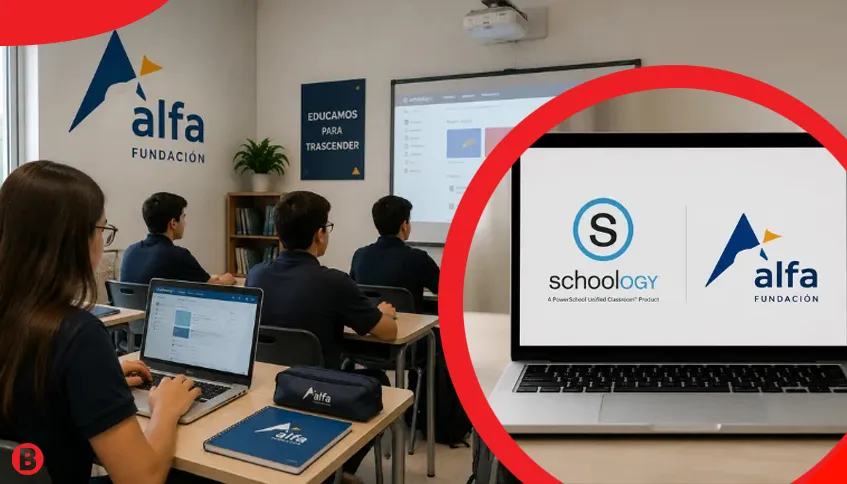
Schoology Alfa is an online learning environment associated with Alfa Fundación, an educational organization based in Monterrey, Mexico. Built on PowerSchool’s Schoology Learning platform, it helps students and teachers manage coursework, access educational materials, and communicate about academic activities. Understanding how the system works makes it easier to access courses, submit assignments, check grades, and resolve common login problems.
What Is Schoology Alfa?
Schoology Alfa refers to the institution-specific Schoology environment connected with Alfa Fundación. It is not a separate learning management system or an independent software product.
The underlying platform, Schoology Learning, is a learning management system (LMS) that helps educational institutions organize classroom activities. Students can access assigned courses, while teachers can share learning resources, manage assignments, and provide feedback.
Available features depend on the institution’s settings and individual course requirements.
Background of Schoology Alfa
Schoology was developed to make digital classroom management more organized and accessible. In 2019, PowerSchool acquired Schoology, expanding its educational technology services.
Today, the software operates as PowerSchool Schoology Learning and supports digital instruction across educational institutions.
Alfa Fundación is a Mexican educational foundation focused on improving opportunities for academically talented students. Its programs include extracurricular academic centers and Preparatoria Alfa Fundación, which supports students preparing for higher education.
How Does Schoology Alfa Work?
Schoology Alfa provides an institution-managed environment where authorized users access educational resources through their school accounts.
After signing in, students may see assigned courses, announcements, learning materials, and upcoming activities. Teachers can organize lessons, publish assignments, and evaluate submitted work.
For example, a mathematics teacher might upload practice exercises, establish submission deadlines, and provide feedback after reviewing students’ answers.
The exact dashboard and available tools depend on the user’s account permissions.
Schoology Alfa Login Steps
Students should use the login address supplied by Alfa Fundación or their teacher.
Schoology Alfa portal: https://alfafundacion.schoology.com
The institution may use Microsoft authentication, depending on its current configuration.
To access an account:
- Open the institution’s Schoology portal.
- Select the available sign-in option.
- Enter your authorized school credentials.
- Complete Microsoft authentication if requested.
- Follow any additional verification instructions.
- Open your dashboard and assigned courses.
Microsoft sign-in may appear because Schoology supports Single Sign-On (SSO). This allows institutions to authenticate users through Microsoft rather than requiring a separate Schoology password.
Students should use their school-approved accounts instead of personal Microsoft accounts.
Main Features of Schoology Alfa
Schoology Learning offers tools that support classroom organization and academic communication. However, not every feature is necessarily enabled for Alfa Fundación accounts.
| Feature | Main Purpose |
|---|---|
| Course Management | Organizes lessons and educational resources |
| Online Assignments | Supports assignment distribution and submission |
| Gradebook | Displays grades and academic feedback |
| Learning Calendar | Helps students track activities and deadlines |
| Communication | Supports announcements and course discussions |
| Assessments | Provides quizzes and evaluation tools |
| Mobile Access | Supports learning through compatible devices |
These features allow teachers to manage educational activities while giving students a structured place to follow their academic responsibilities.
Benefits for Students and Teachers
One advantage of Schoology Alfa is centralized access to educational resources. Students can find course materials, review instructions, and monitor assignments without relying entirely on classroom reminders.
Teachers benefit from organized coursework, digital submissions, and accessible communication tools. They can also provide feedback through the platform when grading functions are enabled.
For students, regularly checking course updates can improve personal organization and reduce confusion about deadlines.
Schoology Alfa Mobile Access
Schoology Learning offers mobile applications for Android and iOS, allowing students to access supported academic functions through smartphones and tablets.
Depending on institutional permissions, mobile users may view courses, check grades, read announcements, and review assignments.
Students may need to select their institution and complete the same authentication process used on desktop devices.
Although mobile access is convenient, completing detailed assignments or uploading multiple documents may be easier through a computer.
Common Login Problems
Schoology Alfa login problems can occur because of incorrect credentials, authentication errors, browser issues, or institutional account restrictions.
Some common problems and possible solutions include:
| Problem | Suggested Solution |
|---|---|
| Incorrect password | Verify credentials or request an approved reset |
| Microsoft login error | Select the correct school account |
| Missing courses | Ask the administrator to check enrollment |
| Page not loading | Check internet access or try another browser |
| Mobile login failure | Confirm the institution and sign-in method |
Students should avoid creating duplicate accounts when login problems occur. Existing academic records may be connected to their original institutional profile.
For unresolved problems, contacting Alfa Fundación’s school administration is usually the most appropriate option.
Schoology Alfa vs. Schoology Learning
Schoology Alfa and Schoology Learning are related, but they describe different aspects of the same educational technology.
Schoology Learning is PowerSchool’s broader learning management platform, used by educational organizations to manage courses and classroom activities.
Schoology Alfa refers to the environment associated with Alfa Fundación, where access and permissions are determined by the institution.
This distinction matters because features described in general Schoology documentation may not be available to every Alfa Fundación user.
Pricing and Limitations
Schoology Alfa uses institution-managed accounts rather than a publicly advertised individual subscription model. Specific licensing costs for Alfa Fundación have not been publicly established.
The platform also has practical limitations. Online access generally requires an internet connection, while course availability and account permissions depend on administrators.
Students cannot independently activate restricted features or modify institutional enrollment settings.
Account Security and Privacy
Schoology accounts may contain personal information, grades, and academic records. Students should therefore access the platform only through approved institutional links.
Passwords should remain private, particularly when using shared computers. If Microsoft authentication is required, users should verify that they are accessing a legitimate sign-in page.
Parents interested in monitoring academic progress should contact the institution about authorized parent access rather than sharing student credentials.
Other Learning Platforms
Several educational platforms provide comparable learning management functions.
Google Classroom supports assignments, communication, and integration with Google Workspace. Canvas LMS offers course management, assessments, and grading tools, while Moodle provides an open-source system that institutions can customize.
These alternatives serve similar educational purposes but are not necessarily available to Alfa Fundación students.
Making the Most of Schoology Alfa
Schoology Alfa can make academic activities easier to organize when students regularly review their courses, deadlines, and teacher feedback.
The most practical approach is to use the official institutional login, check assignments consistently, and confirm successful submissions. When technical problems occur, students should contact their school’s authorized support staff.
Ultimately, Schoology Alfa provides a structured digital learning environment, while its usefulness depends on the tools enabled by Alfa Fundación and how effectively students and teachers use them.
FAQs
What is Schoology Alfa used for?
Schoology Alfa is an online learning environment associated with Alfa Fundación. It helps students access course materials, manage assignments, check academic updates, and communicate with teachers through Schoology Learning.
How do I log in to Schoology Alfa?
Visit alfafundacion.schoology.com and follow the institution’s login instructions. Enter your authorized school credentials and complete Microsoft authentication if required.
Is Schoology Alfa free for students?
Students generally access Schoology Alfa through institution-managed accounts. Specific licensing costs are not publicly available, and access depends on Alfa Fundación’s enrollment and account policies.
Can I use Schoology Alfa on my mobile phone?
Yes, Schoology Learning supports Android and iOS devices. Students can access supported features through the official mobile application, depending on their institution’s settings.
What should I do if Schoology Alfa is not working?
First, check your internet connection, login credentials, and browser. If the problem continues, contact your teacher or school administrator for assistance with account access.


