

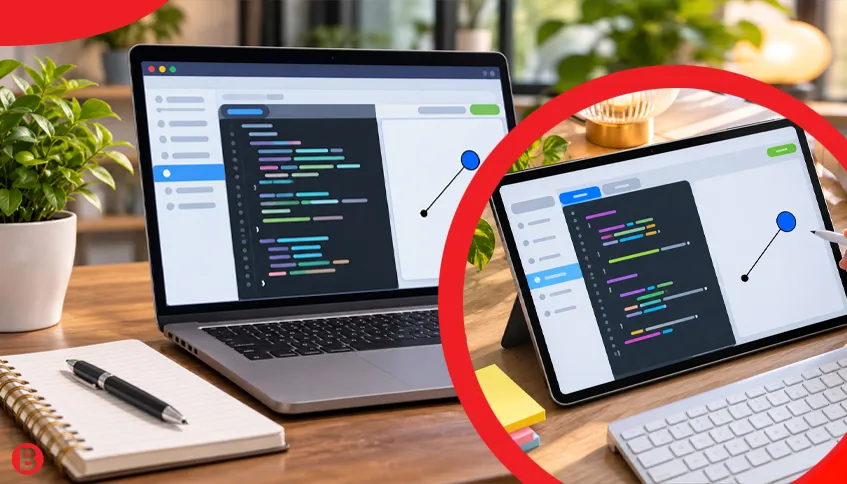
The Leash exercise on CodeHS teaches students how to create interactive graphics using JavaScript. The assignment involves drawing a circle that follows the mouse cursor while a line connects it to a fixed point on the canvas. It introduces important programming concepts, including mouse events, coordinates, and object manipulation.
Understanding Leash CodeHS answers becomes easier when you know how graphical objects respond to user input. With the correct functions and methods, you can complete the exercise, resolve common coding errors, and develop practical JavaScript skills.
What Is the Leash CodeHS Exercise?
Leash is a JavaScript graphics assignment available on CodeHS, an online computer science learning platform. It appears as exercise 9.7.4 in the Drawing Lines lesson of the Golden and Bulldog 2022 courses. However, its exercise number may differ across curriculum versions.
The main objective is to create a circle that follows the mouse while keeping a line connected between the circle and the center of the canvas. As the cursor changes position, the circle and line endpoint move together, creating a visual leash effect.
The assignment introduces students to event-driven programming, graphical objects, coordinate systems, and JavaScript functions.
Leash CodeHS Answers With JavaScript Code
The exercise can be completed by creating a circle and a line, registering a mouse movement handler, and updating both objects whenever the cursor moves.
Here is an example solution using the CodeHS JavaScript graphics library:
var BALL_RADIUS = 30;
var ball;
var line;

function start() {
    var centerX = getWidth() / 2;
    var centerY = getHeight() / 2;

    line = new Line(centerX, centerY,
                    centerX, centerY);
    line.setColor(Color.black);
    add(line);

    ball = new Circle(BALL_RADIUS);
    ball.setPosition(centerX, centerY);
    ball.setColor(Color.yellow);
    add(ball);

    mouseMoveMethod(moveLeash);
}

function moveLeash(e) {
    var x = e.getX();
    var y = e.getY();

    ball.setPosition(x, y);
    line.setEndpoint(x, y);
}
Initially, the circle appears at the center of the canvas. When the mouse moves, the circle follows the cursor while the line extends toward its new position.
This example uses a yellow circle with a radius of 30 pixels. Adjust the radius, colors, and other properties according to your assignment instructions.
How the Leash Code Works
The program begins by declaring global variables for the circle and line. These variables allow both the start() and moveLeash() functions to access the same graphical objects without creating new ones.
Next, the start() function calculates the canvas center by dividing its width and height by two. The program then creates the circle and line, sets their initial positions, and displays them on the canvas.
The mouseMoveMethod() function registers the mouse movement handler. Whenever the cursor moves, e.getX() and e.getY() retrieve its coordinates. These values update the circle’s position and the line’s endpoint while keeping the starting point stationary.
Essential CodeHS Graphics Methods
CodeHS provides a JavaScript graphics library that simplifies drawing and manipulating shapes. Understanding the following methods makes completing the Leash exercise and troubleshooting errors much easier.
| Method | Purpose |
|---|---|
new Circle(radius) | Creates a circle |
new Line(x1, y1, x2, y2) | Creates a line |
setPosition(x, y) | Updates an object’s position |
setEndpoint(x, y) | Changes the line’s endpoint |
setColor(color) | Sets an object’s color |
add(object) | Displays an object |
mouseMoveMethod() | Registers a mouse movement handler |
e.getX() | Retrieves the mouse’s x-coordinate |
e.getY() | Retrieves the mouse’s y-coordinate |
getWidth() | Returns the canvas width |
getHeight() | Returns the canvas height |
The most important distinction is between setPosition() and setEndpoint(). Using the correct method ensures the line remains anchored while its endpoint follows the circle.
8 Common Leash CodeHS Errors and Fixes
Small coding mistakes can prevent the Leash program from functioning correctly. Here are eight common problems and their solutions.
1. Circle not appearing: Make sure you call add(ball) after creating the circle. Check its radius and starting coordinates.
2. Line not displaying: Confirm that the line has been created and added to the canvas. Initially, it may remain invisible because both endpoints share the same position.
3. Circle not following the mouse: Register the event handler using mouseMoveMethod(moveLeash) without adding parentheses after the function name.
4. Line endpoint not updating: Include line.setEndpoint(x, y) inside the mouse movement function.
5. Multiple lines appearing: Create the line once inside start() rather than creating a new line whenever the mouse moves.
6. Fixed anchor moving: Use setEndpoint() instead of setPosition() when updating the line during mouse movement.
7. Undefined variable errors: Declare shared graphics variables outside the functions so they remain accessible throughout the program.
8. Autograder failing: Review the assignment requirements, including object dimensions, colors, starting positions, and required functions.
How to Pass the CodeHS Autograder
CodeHS uses automated assessments to evaluate programming assignments. A program may appear to work correctly but still fail a test because it does not meet specific exercise requirements.
Before submitting your solution, check that the circle follows the mouse, the line remains connected, and the anchor stays at the canvas center. Preserve any constants or instructions included in the starter code.
Testing the program by moving the cursor in different directions can help identify unexpected behavior before submission.
Benefits of the Leash Exercise
The Leash assignment helps students understand event-driven programming, where functions respond to user actions instead of relying on continuous loops. It also demonstrates how multiple graphical objects can interact using shared coordinates.
These concepts are useful in game development, drawing applications, animations, and interactive websites. Additionally, the exercise encourages cleaner programming habits by teaching students to update existing objects rather than repeatedly creating new ones.
Conclusion
Leash CodeHS answers rely on three fundamental steps: creating graphical objects, registering mouse events, and updating coordinates. Using the correct JavaScript methods keeps the circle and line synchronized while maintaining a fixed anchor.
By understanding the programming logic and resolving common errors, students can complete the exercise more confidently and build a strong foundation for advanced JavaScript graphics programming.
FAQs
What is 9.7.4 Leash in CodeHS?
It is a JavaScript graphics exercise that requires a circle to follow the mouse while remaining connected to a fixed point through a line.
Why is my Leash CodeHS answer not working?
Check the mouse event handler, variable declarations, and line endpoint coordinates. Incorrect methods can also cause unexpected behavior.
What does setEndpoint() do in CodeHS?
It updates the ending coordinates of a line without changing its starting position.
Can I use Python for the Leash CodeHS exercise?
The standard 9.7.4 Leash assignment uses JavaScript. However, similar interactive graphics can be created using Python graphics libraries.
Why does my Leash code fail the autograder?
Your code may not meet specific assignment requirements, such as the required circle radius, colors, initial coordinates, or object properties.


